Vertriebspartner
Sie benötigen Beratung? Unsere bestens geschulten Fachhändler helfen Ihnen gerne bei kleinen und großen Fragen weiter.
Finden Sie einen Händler in Ihrer Nähe
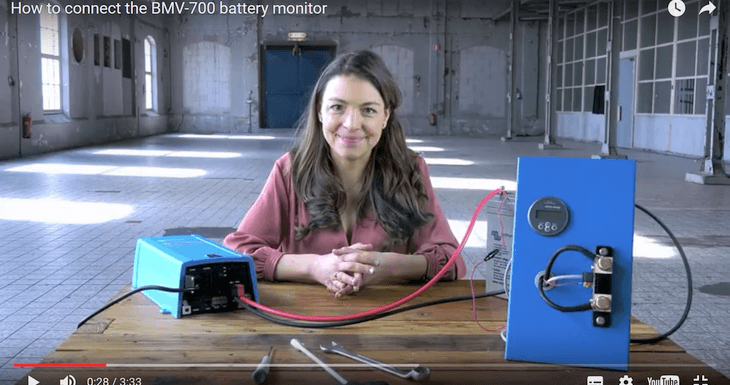
Instructional video: How to connect the BMV-700 battery monitor
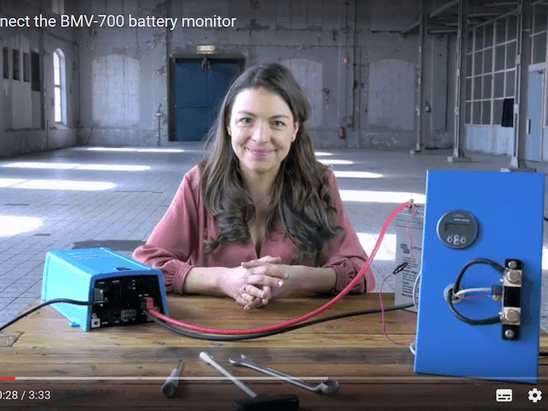
From time to time we hear of people saying they can’t see the loads on their BMV battery monitor – this is down to incorrect wiring. This new instructional video is an aid to ensure the BMV is wired correctly.
There are 3 model variants within the BMV series range: BMV-700 & BMV-702 (6.5- 95 VDC supply voltage range) and the BMV-700HS (60– 385 VDC supply voltage range). The principal function of the BMV series is to follow and indicate the state-of-charge of a battery. The video below gives clear instructions to ensure the BMV-700 and related models are wired correctly.
For the additional functionality that the BMV-702 provides, namely starter battery or temperature or mid-point voltage monitoring, please see the quick install guide.
Hello and welcome! In this instructional video I will show you how to connect your BMV-700 battery monitor.
The main function of the BMV is to follow and indicate the state-of-charge of a battery.
To connect the BMV-700 you will need the following tools:
Inside the box of the BMV you will find:
You can mount the BMV with or without the square bezel. Please read the quick installation guide to see how to mount the BMV with the bezel.
The mounting ring has 2 sides. With this side you can mount the BMV to a 7 to 18 millimetre thick plate or wall.
With the other side of the ring, you can mount the BMV to a plate or wall with a thickness of 0.5 to 8 millimetres.
Connect the BMV to the shunt with the UTP cable.
Then connect the terminal ring of the positive supply cable to the plus pole of the battery. We will mount it on top of the plus cable.
The other side of this cable goes into the green terminal of the shunt. Use the terminal screwdriver to push down the orange connection and then insert the cable.
The Shunt has 2 poles: one for the battery and one for Load and Charger.
It is important not to mix up these two.
Connect the ‘- Load and Charger’ side of the shunt to all the Load and Chargers in the system.
Connect the negative pole of the battery directly to the ‘- Battery’ side of the shunt. Do not connect anything else to this side of the shunt.
In this way, the shunt will measure all current that is going in and coming out of the battery.
Your BMV is now ready for configuration.
When you start up the BMV for the first time, the scrolling text ‘Battery capacity’ will show up. Press any button to stop scrolling and the factory default value 200 Amp hours will appear in edit mode: the first digit will blink.
Enter the desired value with the + and – buttons.
Press SELECT to set the next digit in the same manner.
Repeat this procedure until the required battery capacity is displayed.
The capacity is automatically stored when the last digit has been set by pressing SELECT. This is indicated with a short beep.
Your BMV-700 is now ready to use!
Thank you for watching this video.
Thanks to Marianka Pranger for organising this and Claire for narrating the video.
If you have any particular instructional videos that you’d like to see made, please leave a comment in Disqus below or email Marianka directly at: mpranger@victronenergy.com
Additional videos in the instructional video series can be found at:
https://www.victronenergy.com/blog/category/instructional-videos/John Rushworth
Justin Tyers • 28 January 2022
Did You Know?
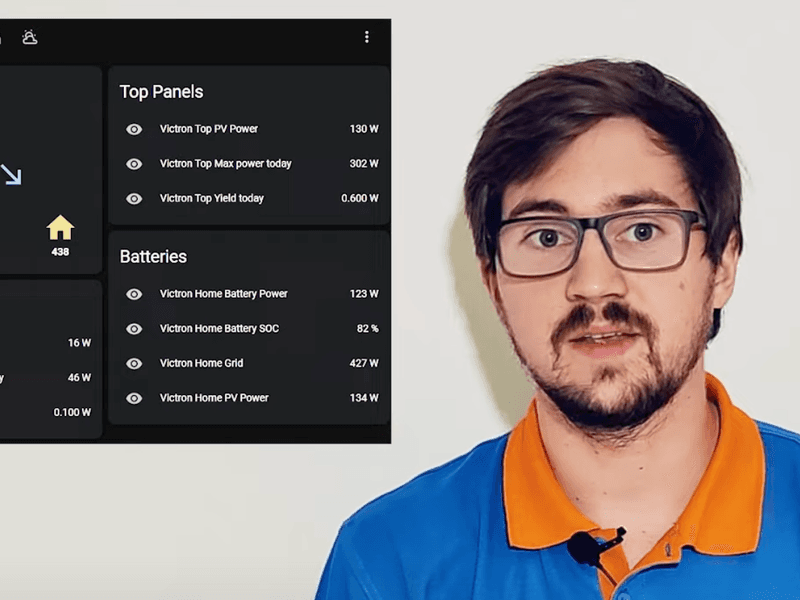
Got a question? Afraid to ask? Our series of Did You Know videos answers FAQ’s – fast. In only a minute or two, each one demonstrates a useful – but little-known – setting or feature on your device; or they de-mystify power generation, storage, and supply. The videos are presented by knowledgable members of Victron staff, or Ambassadors who work with our products everyday. They present complicated technology, simply. At the time of writing there are 24 videos in our Did You Know playlist – and we’re adding more all the time. Here are the neat little questions we’ve answered so far: Did You Know… Why an MPPT charge controller starts 5 Volts DC above battery voltage? Johannes Boonstra 1:16 How to Trigger a Solar dump load when your batteries are full. Johannes Boonstra 2:01 How to extend the life of your Lead-Acid Battery . Johannes Boonstra 5:43 How to reduce inverter power consumption when in standby Simon Ytterbom. 1:59 How to use your Blue Smart Charger as a power supply . Jono 0:57 What is the C-Value , or 20-hour rate, of a battery? Johannes Boonstra. 4:04 How to test a battery temperature-sensor . Johannes Boonstra. 2:17 How to create a battery profile for non-Victron Batteries. Marianka Pranger. 1:20 How to update the MultiPlus Firmware using an Android Phone . Lucian Popescu. 1:26 How to change the logo on a GX display. Lucian Popescu. 1:07 How to monitor your system remotely using Victron’s Remote Management platform. Nate 1:25 You can add a GPS receiver, and create a Geofence Alarm to your system. Jono 0:52 How to change the name of your device. Jono. 1:02 How to move VRM data from an old to a new GX device . Lucian Popescu. 0:45 How to remotely change settings for the MultiPlus & Quattro. Simon Ytterbom. 1:26 How to add power to a limited shore-power outlet . Nate. 1:44 How to disable Bluetooth on a Smart device. Lucian Popescu. 1:25 How to integrate your Victron System with Home Automation . Valentin 1:15 How to use an Autotransformer . Marc Stevens. 0:53 Learn more with Victron Online Training , and webinars. Nate. 1:40 How to calculate the right size MPPT Solar Charger for your installation. Bob Hopman. 1:20 How to Download GPS tracking to VRM and plot your route. Simon Ytterbom. 1:16 Find technical documents , learn, and get involved with Victron Energy. Nate. 0:58 How to Protect Batteries with MultiPlus Charge-Only mode . Simon Ytterbom. 1:49 More Video Information Whilst visiting our YouTube channel why not browse the titles in our Instructional Videos? There you will find both long and short videos which provide often asked-for information. Or you can sit back and attend one of our technical Webinars which explore some of our applications, and our third-party product compatibilities. Full In-Depth Product Training is also available for our entire product range on the Online Training page of Victron Professional . You will need a Victron Professional account to login – if you don’t already have a login account you are welcome to create one. Spend some quality time in our video library!
Justin Tyers • 04 May 2022
Intersolar Europe 2022 – Preview
We’re looking forward to meeting you face-to-face at Intersolar Europe! It’s the world’s largest exhibition of Solar Energy, and takes place on May 11th, 12th or 13th at Messe München . Best known for our Inverter/Chargers and Solar Charge Controllers – we’re always adding exciting new devices to our range of products for private energy installations – for Industry, Leisure, Home, Off-Grid, and Mobile working. This year is no exception – We’ve got some great new products to show you when you come to our stand – number B4.160. For example, you’ll be able to take a really close look at our brand new Electric Vehicle Charging Station . Incorporating an LCD Touch Screen, it’s a 32A charger capable of providing 22kW of power from a 3-Phase supply, or 7.3kW from a standard single-phase supply. Fully programmable and customisable. User defined light rings provide at-a-glance state of charge. WiFi Communication on board. Can be programmed to use surplus Solar Energy. The latest addition to our extensive range of Inverter/Chargers is the Quattro-II 48/5000 . As part of an ESS (Energy Storage System) it maximises the consumption of ‘home’ produced energy. 2 AC inputs – power will automatically be taken from a connected grid or generator, whichever has live AC available. 2 AC outputs – Second AC output is only active when there is an AC input, so non-essential loads are dropped in case of loss of grid or generator power. Plus all the useful features of our Inverter/Charger range The Multi RS Solar 48/6000 is an Inverter Charger with a 450V Solar Charger on board. It also has a bi-directional DC-DC charger which charges the battery with excess solar power, or converts power from the battery when required. The 4kWp Solar Charger can be daisy chained to more Solar Chargers, with the possibility of synchronised charging; the Multi RS can also be connected to PV Inverters. 80 – 450VDC input Display. Data can also be read from phone or Bluetooth device. Extendable PV capacity – both AC and DC coupled. Can be connected to a GX device via VE Can. Can be connected to a GlobalLink 520 vie VE Direct The new SmartShunt IP65 is an all-in-one battery monitor which you access using your phone – via Bluetooth. The unit allows clutter-free installation, having less cabling – and its IP65 rating allows it to be installed in tough environments such as an engine room which might be prone to dust and water spray. Remote data access via your phone means it can be installed out-of-sight and out of the way. The SmartShunt is available in three models: 500A / 1000A / 2000A Extensive Live and Historic Data parameters available straight to your phone Can also be read by a GX device for screen data display Can monitor second battery, midpoint monitoring, or temperature input 500A / 1000A /2000A models available Much more to see You’ll be able to see many more new products on our stand. Here are the additional products we will be able to demonstrate on your visit: Easysolar-II GX 48/5000 – is a combined Inverter/Charger, Solar Charge Controller, and system controller for easy installation. SmartSolar MPPT RS 450/100 and SmartSolar MPPT RS 450/200 – are Solar Charge Controllers for large PV arrays charging 48 volt batteries. Lynx Smart BMS is a feature-rich Battery Management System for Lithium Batteries Lynx Smart Shunt is a 1000A shunt for systems with a GX device. Part of the cool ‘Lynx’ distribution series. Your visit is a chance to get answers to all your questions about any of these new devices, or any of our hundreds of power products for Leisure, Industry, Marine, Home, and Mobile work setups. Parallel Conference Intersolar Attendees interested in Off-Grid applications might like to register for the parallel conference entitled Off-Grid Innovation – Digital, Control & Monitoring Solutions, Batteries during which our own Bob Hopman will be talking on the subject of: Innovating Integration of Efficient Power Electronics, Monitoring & Control. The conference takes place on Wednesday 11th from 11:00 – 12:30 in Room 12. See you at Intersolar 2022!
Justin Tyers • 25 March 2022
Summer Hobbies / Winter Storage
Summer cabins; Boats, Vans, Motorhomes and Classic vehicle enthusiasts – twice a year, around the solar equinox, it’s time for half the world to take the wraps off their hobbies, and the other half to put them back on. How do you ensure that from the moment the winter cover goes on to the moment it comes off your pride and joy will remain in tip-top condition – no mice, mildew, burst pipes or flat battery? Perhaps you have a winterising tip to share? Do you leave your boat unattended over the winter, for example, with an automatic bilge pump – and then worry what will happen if the battery dies? Well, with these neat ideas you won’t have to wait until spring to find out if it’s still afloat or the ravishes of winter have spoiled your summer plans. First of all let’s hear from Tom Alderdice. Tom is so enthusiastic about van life that he converted his van to both a home and an office, from where he runs his company – Tiny Build Electrics – in the summer …sharing his skills with others. Here’s what he has to say: The Ruuvi sensors Tom refers to are supported by Victron Energy when connected to a Cerbo GX device – instruction for this simple installation can be found here . The supported data is for temperature, humidity and atmospheric pressure. Enthusiasts will find it is also possible to connect Ruuvi sensors to other devices. Next let’s hear from Torstein Kvamme who has a Facebook page in which he generously provides support to Victron Installation DIYers in the Swedish language. Forty years ago, Torstein’s father built a stunning summer cabin amid the filmic scenery of Lofoten, Norway, within the arctic circle. These days he and his family spend precious time there in the summer. When he’s not there he can stay in touch with his power installation using our free-to-use Victron Remote Management platform VRM . That way the family knows everything will be working perfectly when they arrive after their 2000km drive. A moment ago we mentioned boats left afloat and relying on automatic bilge pumps – for remote installations, did you know you can install an IoT cell net device such as the GlobalLink 520 , connect it to a battery monitor or solar charge controller , for example *, from where it will send status information to our VRM platform. In VRM you can set up email alerts to be informed the moment there’s a problem …such as a low battery voltage alarm for example. *(The full list of Victron products compatible with the GlobalLink 520 can be found here .) Let’s hear from Simon Ytterbom, N.America Sales Manager, about how to set up alarms and receive email notifications in VRM: You’ll find plenty more advice about using the hundreds of features of our products by viewing our YouTube channel. And finally – let’s enjoy a short video about how things should work, now that summer beckons. Henrik has a passion for classic motorcycling, and also lives in Sweden. For readers in the tropics it’s worth pointing out that Sweden is not noted for its mild winters. Also – If you have a winterising/dewinterising tip to share we’d love to hear it – please post it as a comment on our Facebook page!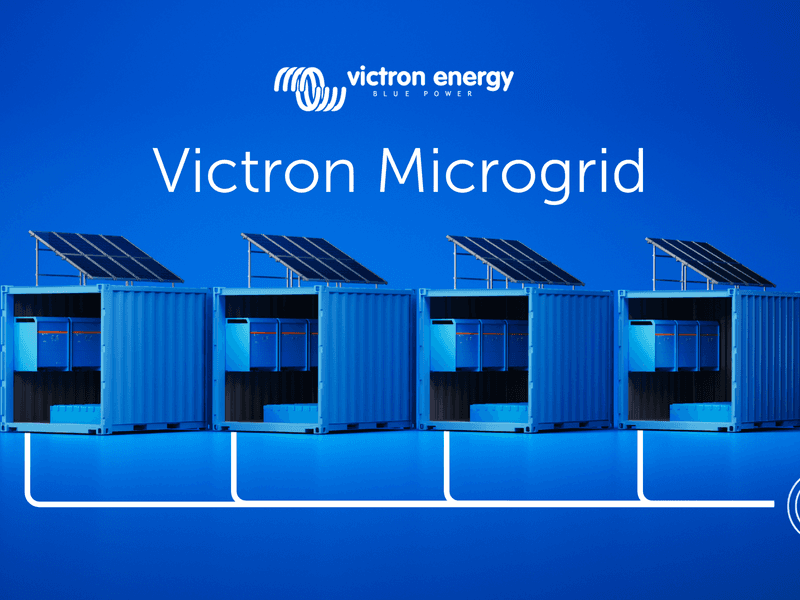
Guy Stewart • 13 April 2026
Introducing Victron Microgrid
What if you could build large off-grid systems with the same simplicity as small ones – just by adding more independent units, increasing reliability, and scaling total capacity as you grow? Large off-grid systems have traditionally been complex to build and difficult to change; Victron Microgrid takes a different approach. Victron Microgrid allows multiple independent Victron inverter/charger systems, named “Power Banks” to operate in parallel on a shared AC bus – even when Power Bank sizes vary – forming high-power off-grid systems that automatically share the load. Each Power Bank is a complete, independent Victron installation with its own inverter/chargers, batteries and monitoring. No central controller, and no data communication wiring between units. If you need more power you can just add another Power Bank, and scale the system – up to 400 kW. Why Victron Microgrid? Scale beyond a single system. Multiple Power Banks on a shared AC bus let you build off-grid systems much larger than a single VE.Bus system, without the complexity and risk of one big centralised inverter installation. Keep running when a unit goes down. Each Power Bank operates on its own. If one is taken offline for service or develops a fault, the rest continue supplying the AC bus uninterrupted. Removing any single point of failure. Add or remove capacity without downtime. Connect more Power Banks to the Microgrid as demand grows. Disconnect them when demand drops or maintenance is needed. No reprogramming required, and the AC bus stays live to loads the whole time. Build with what installers already know. No new hardware. Victron Microgrid uses the same inverter/chargers, batteries, charge controllers and GX devices that installers already work with. Each Power Bank is monitored through its own GX device and VRM. Move equipment between sites. Perfect for rental: containerised Power Banks can go from one project to the next. When a job is done, the same hardware returns to the depot and goes out again ready to join another Microgrid. A standard, efficient container build can be used to satisfy a broad range of applications by simply joining them together via AC wiring on site. Applications Because each Power Bank is self-contained, Victron Microgrid works well on sites where demand changes over time and equipment may need to move between projects. 1. Generator rental fleets Rental operators can treat Power Banks as modular fleet assets. Instead of maintaining many fixed-capacity systems for different jobs, stock standardised Power Banks and combine them to match each contract. A smaller deployment might use two Power Banks; a larger job may need six or more. When a contract ends, the same units return to the depot and go out again in a different combination. Power Banks can be grouped together as a Microgrid in VRM to provide remote monitoring, alarms and visibility across active sites. 2. Construction sites Construction sites often have a stable base-load with temporary spikes in demand. Site offices, lighting and tools may run for months at one level, then a crane, welding gear or other heavy equipment drives consumption up. Extra Power Banks can be brought to site, connected to the AC bus for the peak period, and removed when it’s over. Match capacity to the actual stage of the project and reduce dependence on generator runtime where silent, battery-based power is preferred or required. 3. Events and festivals Demand profiles shift across bump-in, live operation and bump-out. Peak power may only be needed for part of the schedule, but reliable supply is needed throughout. Deploy more Power Banks for peak periods, fewer for quieter ones with no need to redesign the system. If the programme changes, add capacity quickly by connecting another Power Bank to the AC bus. And if one unit has an issue, the rest keep running. 4. Expanding existing off-grid systems Victron Microgrid is also a practical way to upgrade an existing Victron off-grid installation. Instead of pulling a working system apart to make it bigger, install a second Power Bank alongside it and connect both to the same AC bus. The original system stays as it is and just becomes one of the Power Banks in the Microgrid. This is useful for containerised or remote installations where reworking what’s already there would be disruptive. Each Power Bank manages its own charging, so the new unit needs its own charging sources such as additional solar, a DC generator connection, or other DC charging. How Victron Microgrid works A Power Bank is a complete Victron off-grid system: one or more VE.Bus inverter/chargers, a battery bank, DC distribution, DC charging sources, and a GX device for monitoring. In a Victron Microgrid, multiple Power Banks connect to a shared AC bus and work together as one large power system. Load sharing between units happens automatically via AC voltage and frequency, without the need for a central controller, communication between power banks or complex configurations. This decentralised approach keeps the system simple and reliable. Three-phase and split-phase configurations are supported as well. Independent charging – no central controller needed Decentralised DC charging is what makes this controller-less approach work. Each Power Bank manages its own state of charge using its own charging sources. Victron supports a range of charging options: MPPT solar charge controllers for DC-coupled PV AC chargers (such as MultiPlus, Quattro or Multi RS) connected to an AC generator or other AC supply, independent of the Microgrid AC bus. DC generator integration (including start/stop automation) Getting started Victron Microgrid is available via a dedicated VE.Bus firmware for MultiPlus, MultiPlus-II, Quattro and Quattro-II. Walk through the concept, configuration and commissioning with these training videos: Introduction Programming Demonstration The Technical manual covers installation and configuration in detail. See this Slide deck for a more visual overview. Contact a Victron distributor to discuss whether Victron Microgrid fits your application.Sie benötigen Beratung? Unsere bestens geschulten Fachhändler helfen Ihnen gerne bei kleinen und großen Fragen weiter.
Finden Sie einen Händler in Ihrer Nähe
Sehen Sie sich unsere Support-Ressourcen an oder wenden Sie sich für speziellen Support, Reparaturen oder Garantieanfragen an Ihren Originalhändler.
Support
Lesen Sie mehr über unsere branchenführende 5-Jahres-Standardgarantie und unseren weltweiten Reparaturservice.
Garantie

©Victron Energy 2026